ScottWolfe
01 / Product Design / Healthcare

Roche Phil

A clearer way to manage Type 2 diabetes.

Phil brings nutrition, meal planning, activity, connected glucose meters and health reporting into one digital health experience.
Role
Product Design Lead / Design Director
Client
Roche
Platform
iOS / Android
Scope
UX / UI / Research / Prototyping / Systems
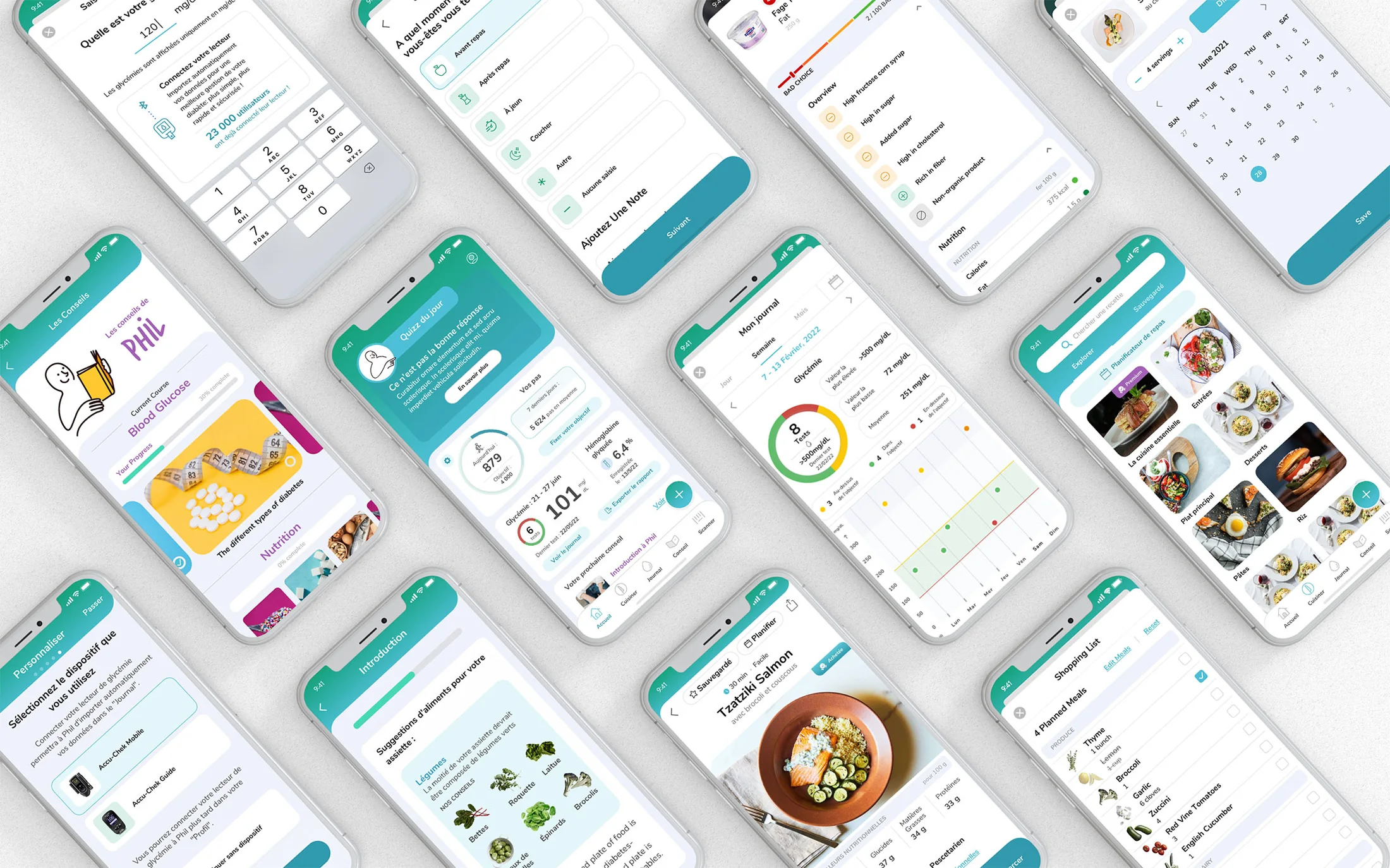
Phil mobile product screens for diabetes, nutrition and health management
Developed for Roche
Released on iOS + Android
Download on the App Store Get it on Google Play
0
Installs
0.0
App rating
0
Annual recipe views
01 / Challenge

Making daily complexity feel manageable.

Phil was developed specifically for France, bringing the many decisions involved in managing Type 2 diabetes into one connected experience without adding to the burden of daily care.

Clinical accuracy without clinical friction

The product had to remain medically credible while using language, interactions and visual hierarchy that felt approachable to people with very different levels of health literacy and technical confidence.

One experience, many behaviors

Food, glucose, movement, shopping and reporting all needed to feel connected rather than like separate tools living inside the same app.

Regulation, language and local context

French health regulations, terminology and language shaped the product from the start. I worked closely with colleagues in France to translate and validate the experience across clinical guidance, product content and everyday interactions.

02 / Approach

Research, structure, then simplify.

Interviews with patients, dietitians and healthcare providers established a consistent direction: make the product easy to understand, trustworthy in tone and useful in the small decisions of everyday life.
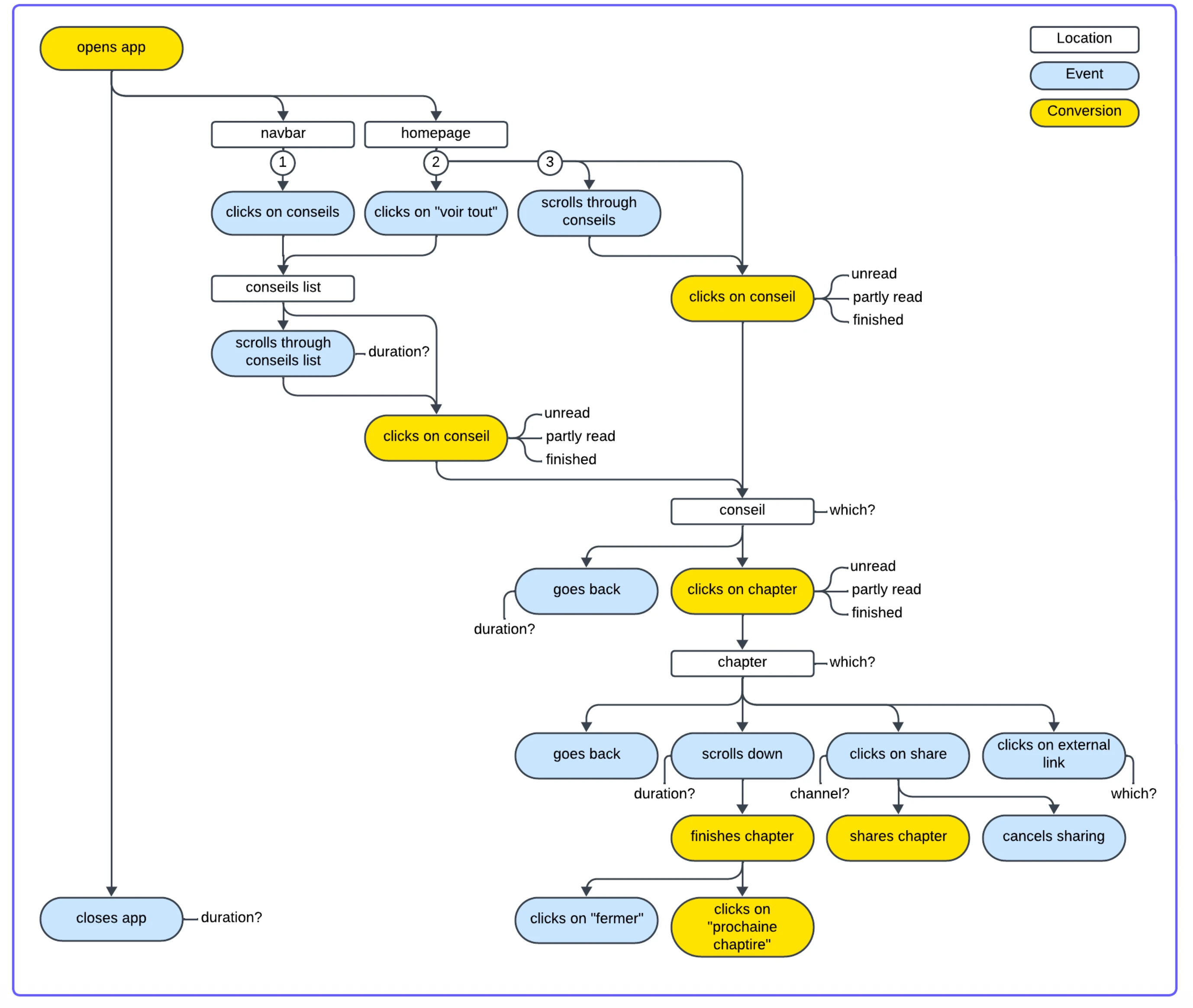
Analytics flow mapping how people discover, read, complete and share Phil advice content

Research & insights

Patient and provider interviews, paired with behavioral event mapping, helped identify moments of uncertainty, information overload and friction across daily diabetes management.
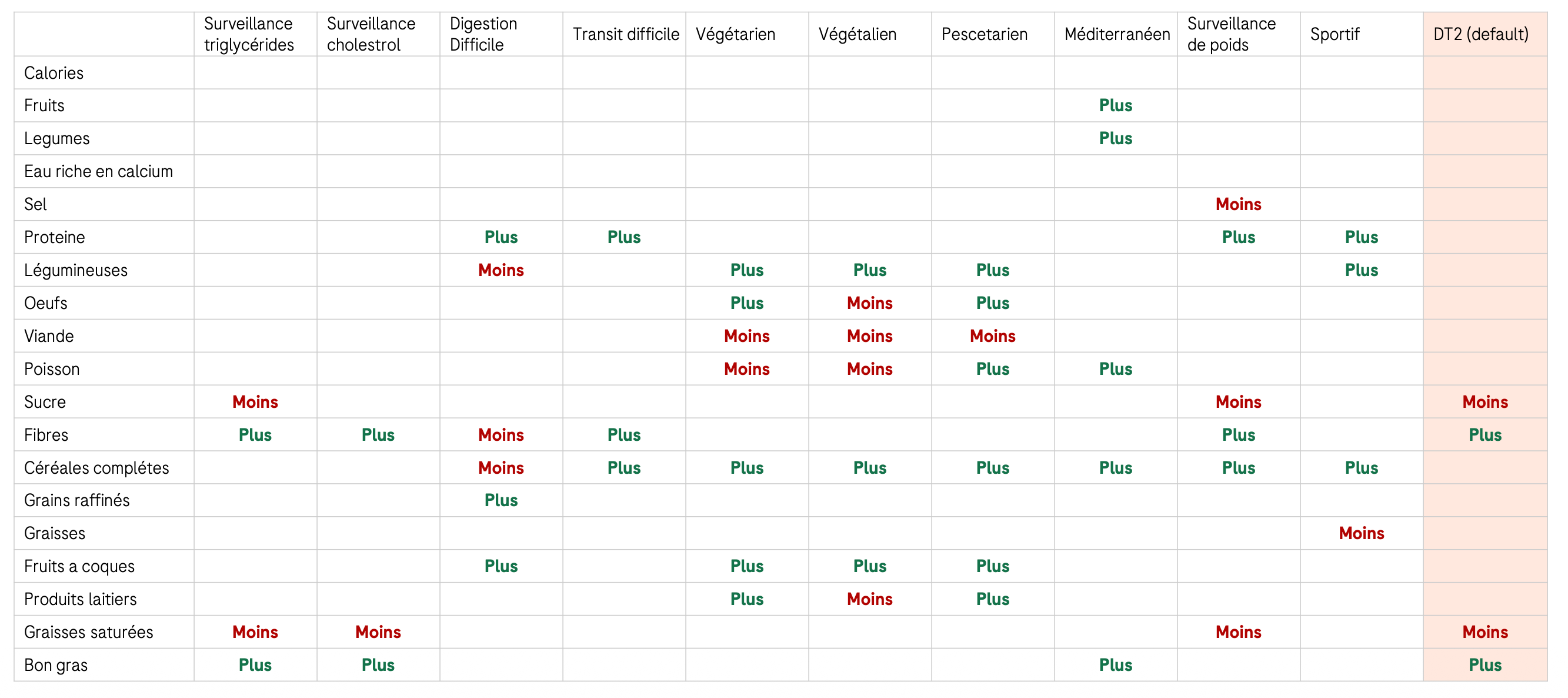
Clinical nutrition matrix mapping food groups and nutrients across health and dietary contexts

Clinical nutrition mapping

I worked with clinical and nutrition teams to translate diabetes guidance into a data model, mapping how each health context should increase, reduce or preserve specific nutrients and food groups.
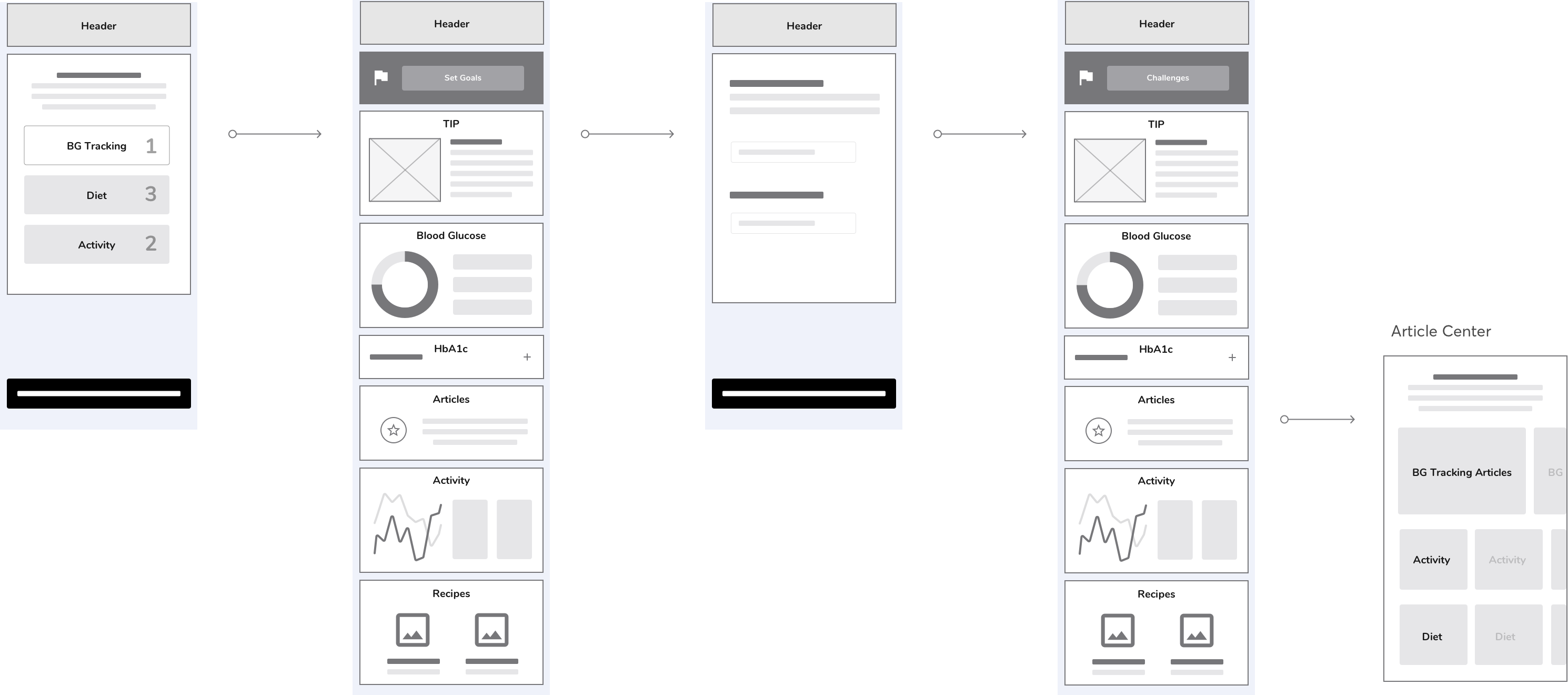
Early grayscale wireframe flow connecting user priorities to modular home content and article pathways

Flows & prototypes

I mapped product flows, built prototypes and tested them directly with patients before moving into high-fidelity UI.
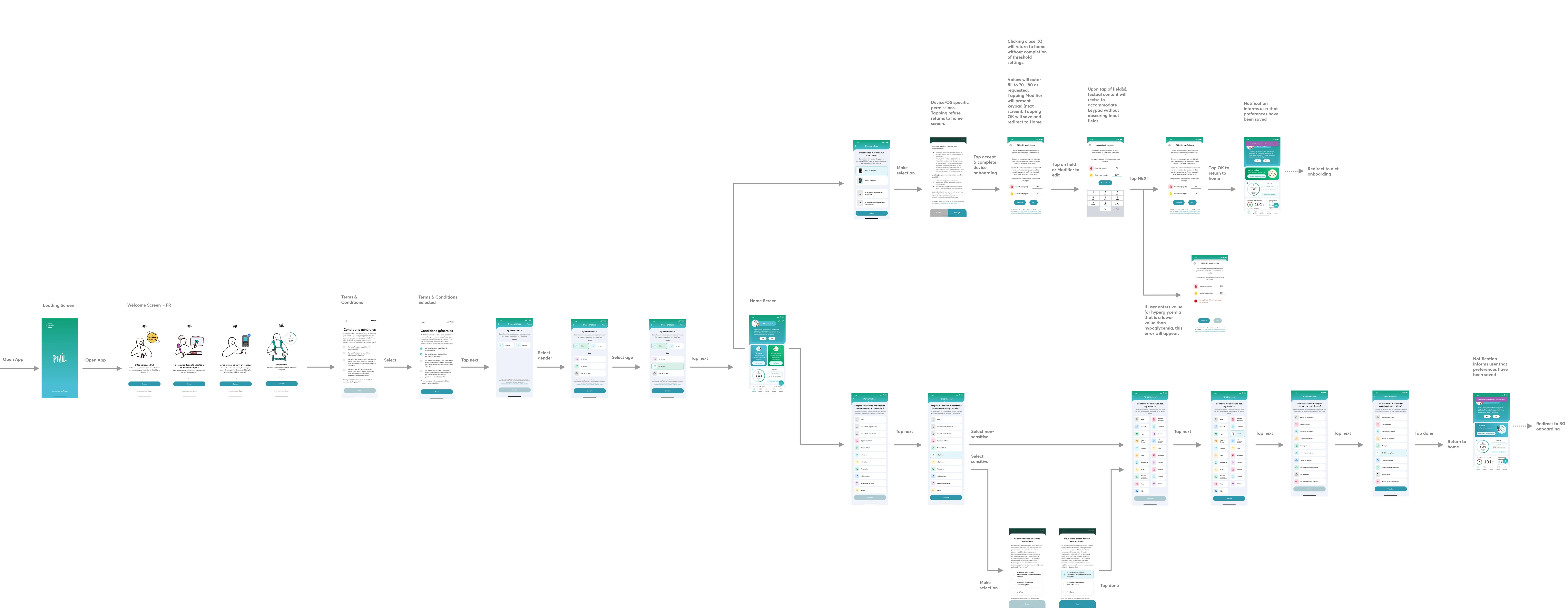
Detailed onboarding flow showing app launch, consent, profile setup, health targets, preferences and home states

Scalable patterns

The final design system needed to flex across nutrition, activity, glucose and reporting without making each feature feel like a separate product.

From intent to a completed meal
01 / DISCOVER
02 / PLAN
03 / SHOP + COOK
04 / LEARN
STARTHomeSuggested meals or recipe browse
Choose a path
CURATEDSuggested mealsRelevant options with less effort
SELF-DIRECTEDRecipe librarySearch, filter and compare
COMMITAdd to planDate, servings and reminder
ORGANIZEMeal planReview the week and make changes
PREPAREShopping listMerge ingredients and check items
AVAILABLEStandard itemUse the planned ingredient
ADAPTSubstituteRespect diet, stock and preference
AT THE RIGHT TIMECooking reminderOptional prompt to begin
GUIDED ACTIONCook modeOne clear step at a time
OPTIONAL CONTEXTGlucose checkConnect the meal to its effect
COMPLETEMeal loggedProgress saved; context returned Home
SUPPORTING TOOLProduct scanFind a suitable alternative
Primary journeyShopping rulesOptional toolReturn to Home
CONNECTED MEAL JOURNEYOne intent. Four coordinated moments.
01DISCOVER
STARTHomeFind the right meal for this moment.
CURATEDSuggested meals
OR
SELF-DIRECTEDRecipe library
02PLAN
COMMITAdd to planChoose date, servings and reminder.
ORGANIZEMeal planReview the week and make changes.
03SHOP + COOK
PREPAREShopping listMerge ingredients and check items.
USE PLANNED ITEMorSUBSTITUTE
GUIDED ACTIONCook modeOne clear step at a time.
SUPPORTING TOOL · PRODUCT SCAN
04LEARN
OPTIONAL CONTEXTGlucose checkConnect the meal to its effect.
COMPLETEMeal loggedSave progress and update Home.
RETURN TO HOME
One connected serviceThe flow turns recipe inspiration into a practical plan, adapts shopping choices, supports cooking and carries useful completion context back to Home.
03 / Systems

Making the experience scale.

The product architecture and relevance model turned individual features into one connected system, with a shared home, context and priorities that adapt to the person.

One home, four product zones
01 / FRONT DOOR

Personal home

One feed surfaces what matters now.

02 / DECISION
PROFILE + BEHAVIOR + TIME Choose the next useful card
goalsrecent activityprogress
01 / EAT

Eat

Recipes · meal plans · shopping

02 / LEARN

Learn

Articles · quizzes · guidance

03 / TRACK

Track

Glucose · activity · progress

04 / ACT

Act

Journal · scanner · quick tasks

COMPLETED ACTIONupdated contextnew Home priority

Home is the front door. Product areas do the work. Each completed action updates what Home shows next.

Content architectureEarly wireframes organized the home experience, dynamic cards, food inspiration, meal planning and health content into a unified system.
04 / Experience

Designing the experience.

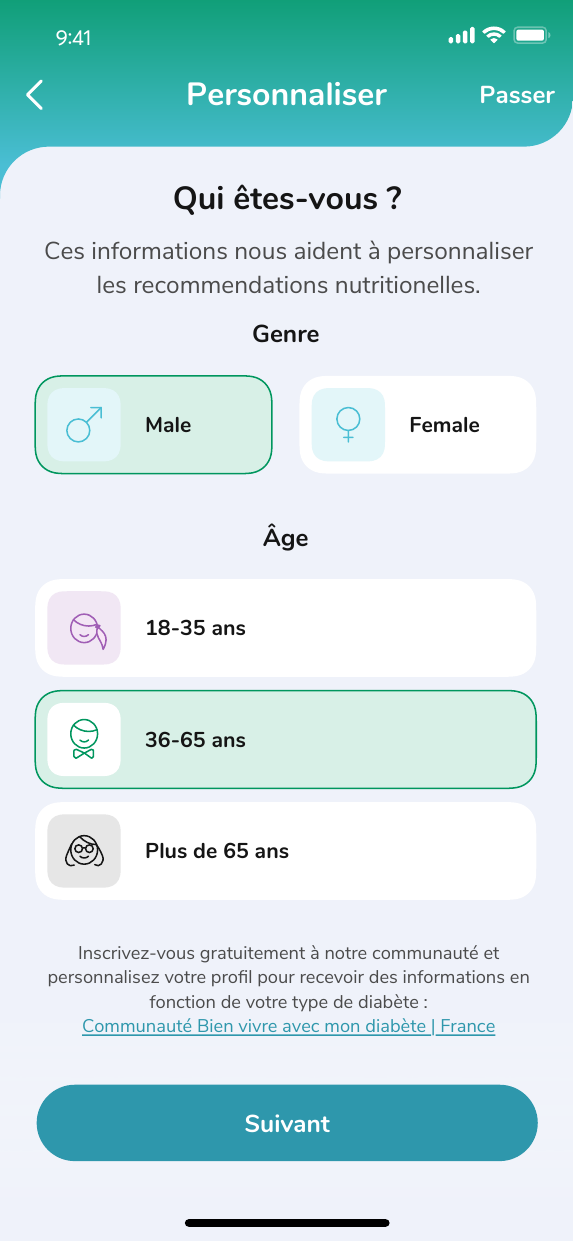
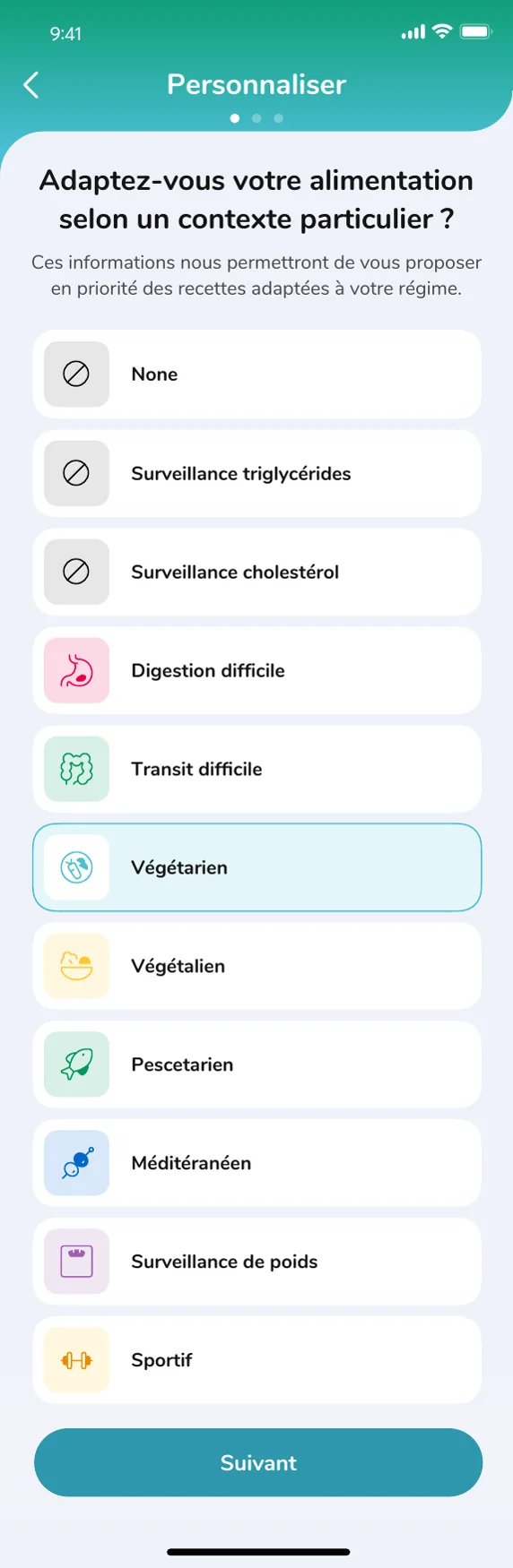
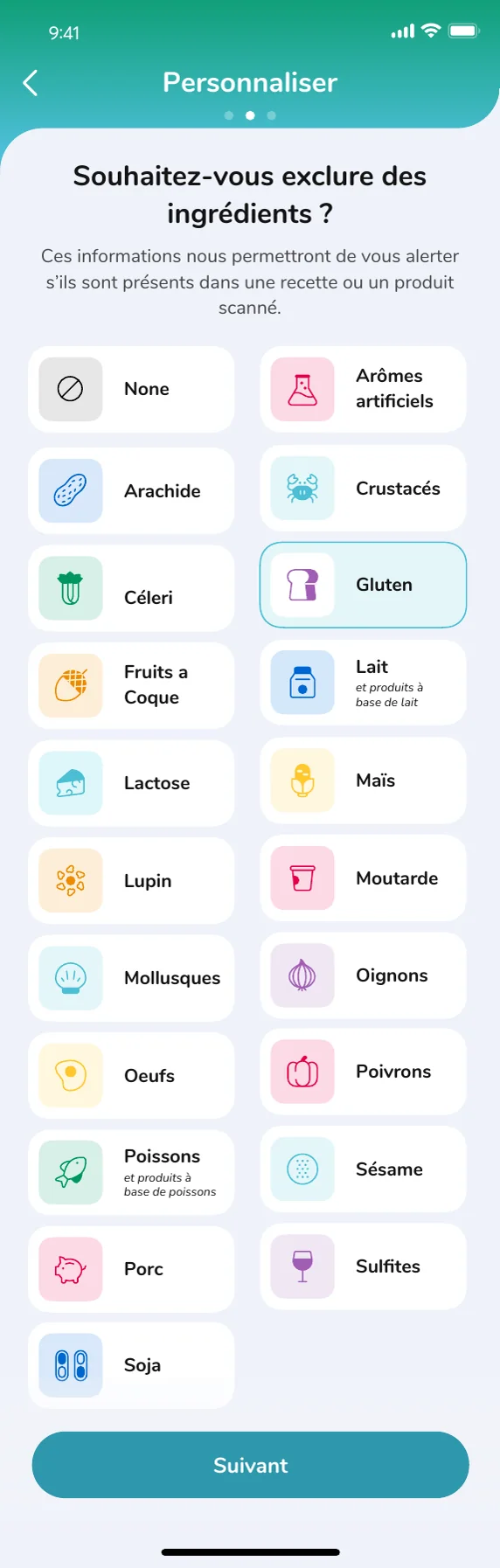
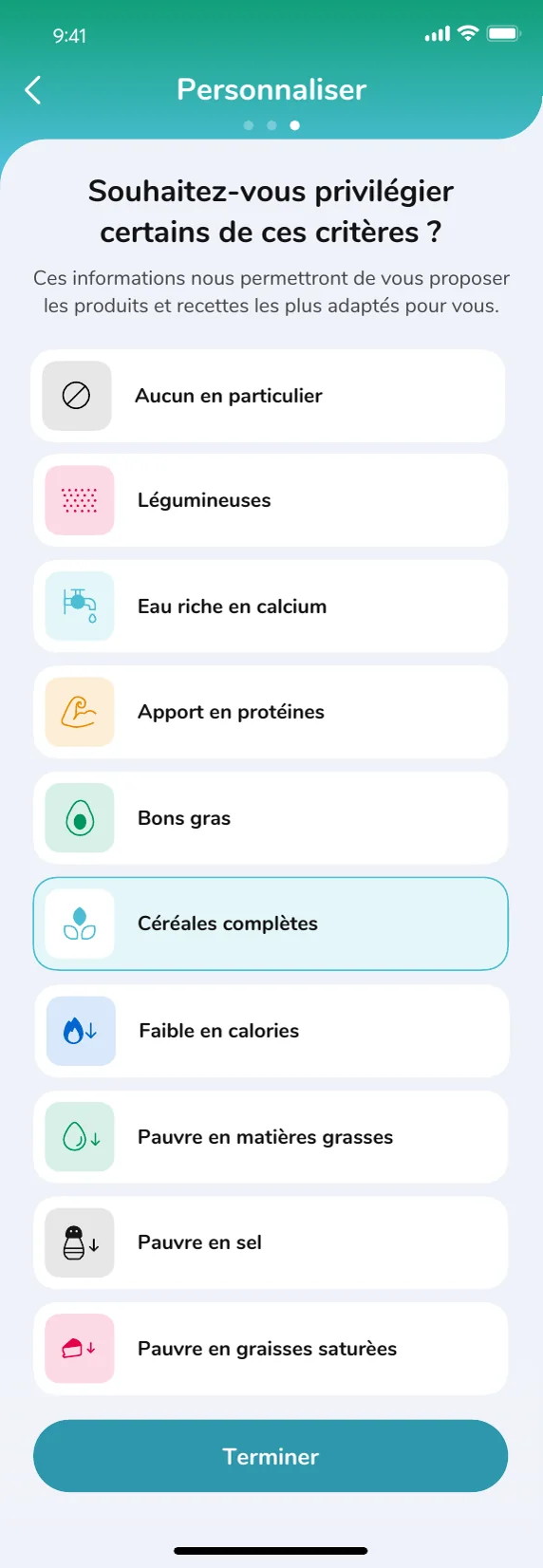
04.1 / Personalized onboarding

Get to relevance quickly.

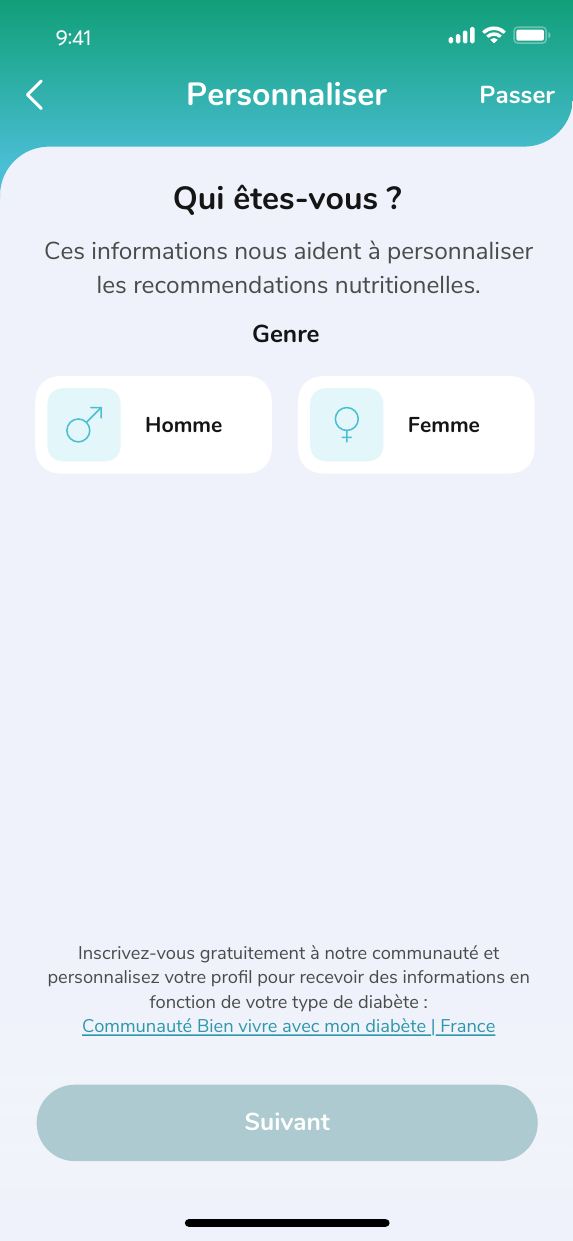
A card-based onboarding flow replaced long forms with conversational steps, clear progress and focused inputs. The experience gathered only the information needed to personalize the product, helping users reach useful content without setup fatigue.
01 / 09 Welcome to Phil One question at a time
Roche Phil launch screen, in partnership with Innit
Phil profile personalization screen
Phil profile screen for selecting gender and age range
Phil diet context selection screen
Phil ingredient exclusions screen
Phil nutrition priorities screen
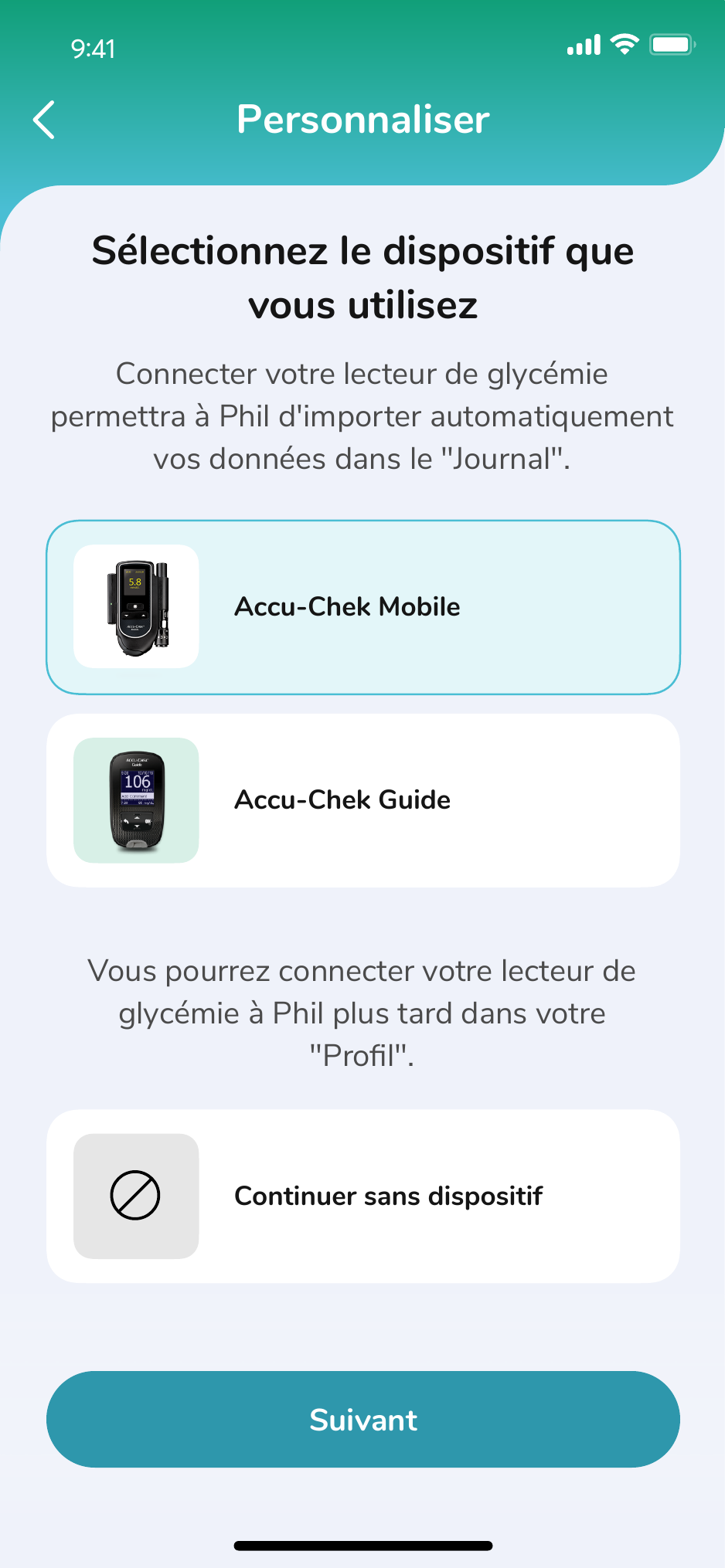
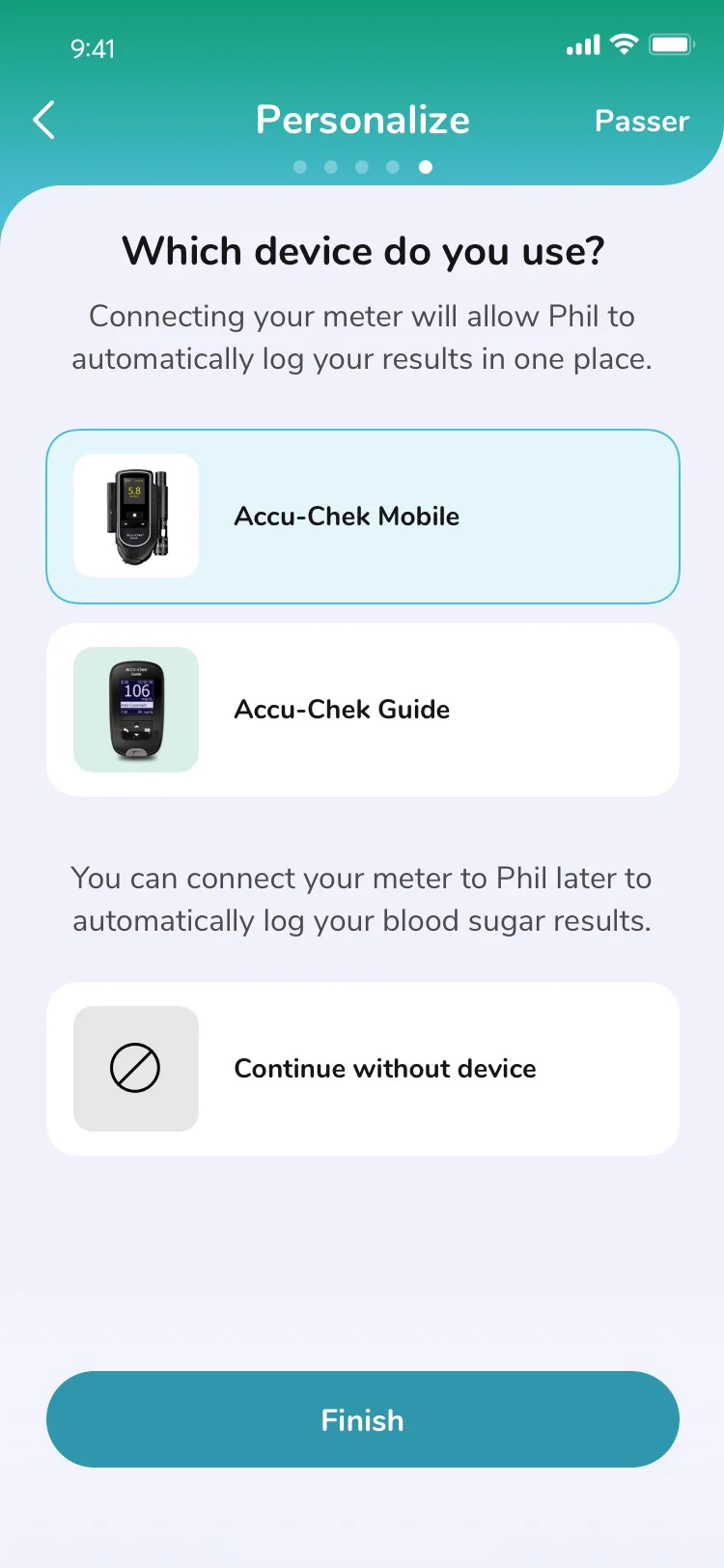
Phil screen for selecting and connecting an Accu-Chek glucose meter
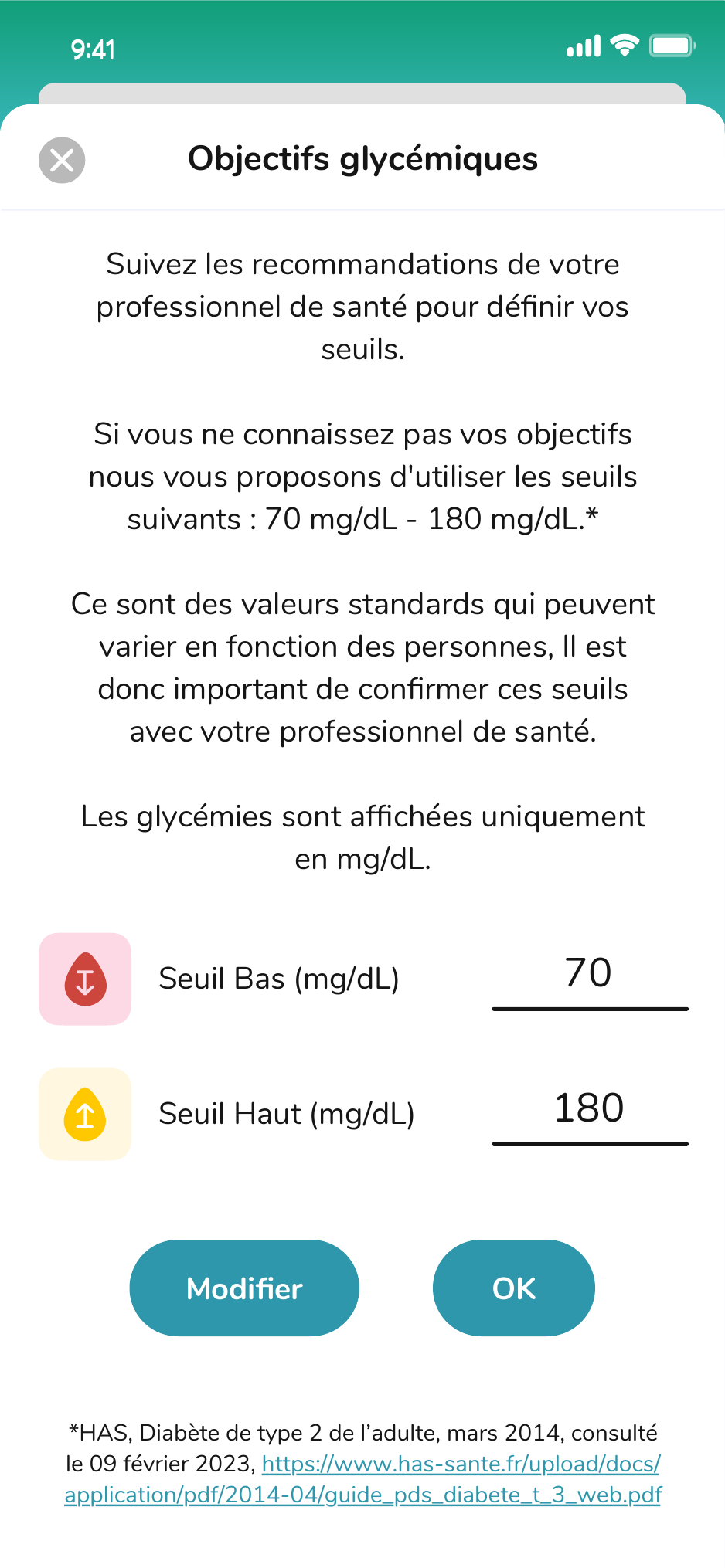
Phil screen for reviewing and setting glucose target thresholds
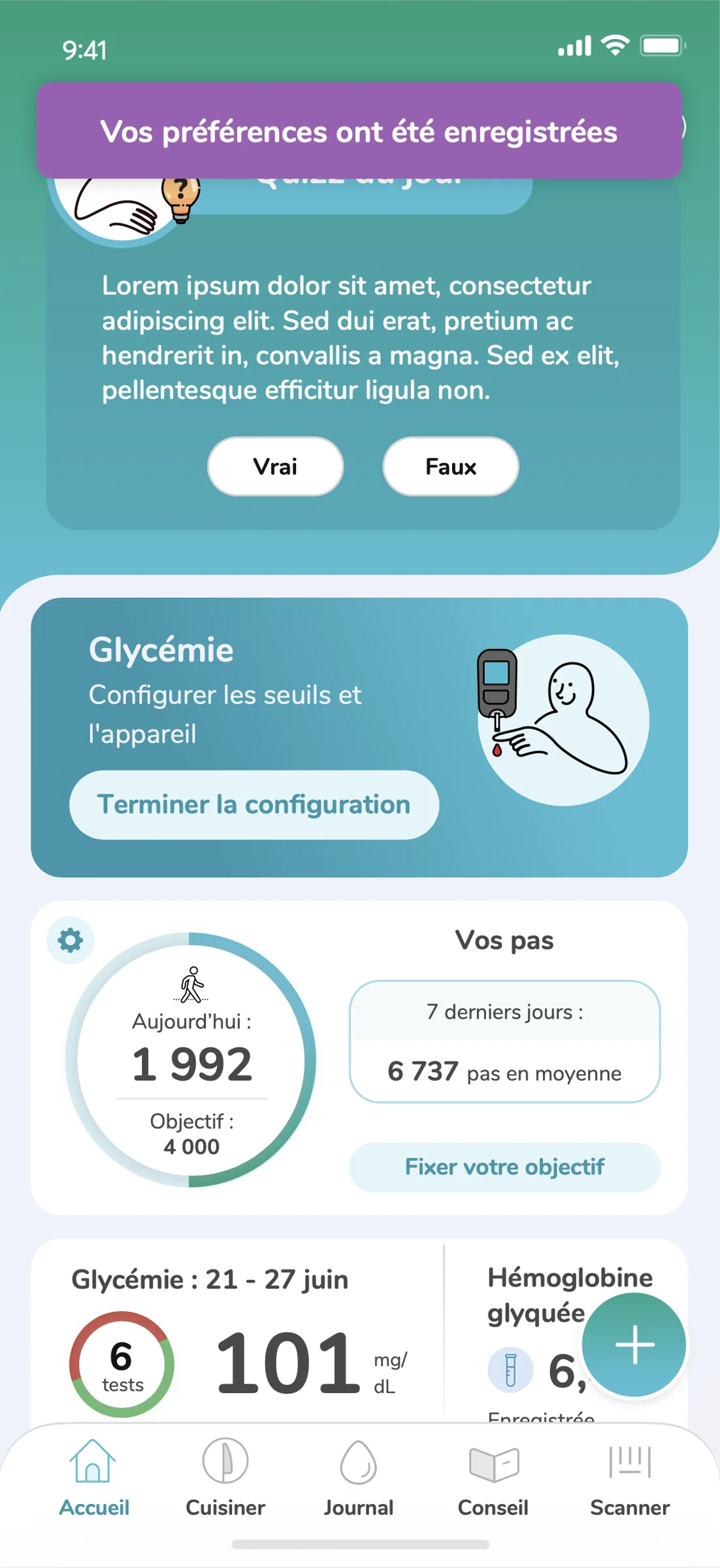
Phil personalized home screen with saved preferences, glucose setup and activity summary
04.2 / Recipes & meal planning

Turn nutrition guidance into everyday decisions.

Recipes adapt ingredients, portions and nutrition values to each health profile. Meals move directly into planning and shopping, creating a practical path from recommendation to action rather than stopping at inspiration.

04.3 / Connected device onboarding

Rethinking glucose meter setup.

Connecting a glucose meter sounds simple. In practice, it was one of the most confusing moments in the experience. The existing instructions made sense from the device's point of view, not necessarily the user's.

WHERE THINGS BROKE DOWN
  1. 01Read the device instructionsTranslate technical language into an action.
  2. 02Interpret the meter stateWork out whether the device is ready.
  3. 03Switch between systemsMove through Bluetooth, permissions and Phil.
  4. 04Guess what happenedConnection feedback was incomplete or delayed.
User actionSystem stateRecovery
01 / CHOOSE

Select the meter

The user chooses Accu-Chek Mobile or Guide.

02A / MOBILE

Prepare adapter

Find serial, attach adapter and power on.

02B / GUIDE

Enable pairing

Open wireless settings and enter pairing mode.

03 / DISCOVER

Find the device

Phil searches for nearby compatible meters.

04 / VERIFY

Confirm identity

Match the serial number or enter the PIN.

05 / CONNECTED

Pair + import

The first reading confirms a successful connection.

IF DISCOVERY OR VERIFICATION FAILS
A / EXPLAIN

Show what happened

Keep the selected meter and preserve progress.

B / RESOLVE

Troubleshoot

Check power, pairing state or reset.

C / RETURN

Retry discovery

Return to step 03, not the beginning.

One shared path, with one device-specific preparation step.When something fails, the user resolves it and returns directly to discovery.
THE PHYSICAL PRODUCT CHANGED, TOO

The digital experience changed the physical one.

The revised flow worked well enough that Roche updated the printed instructions included with the glucose meter to better align with the experience we had designed. What started as an interface problem became a clearer way to explain the product itself.

04.4 / Diabetes care

Turn every reading into a useful care record.

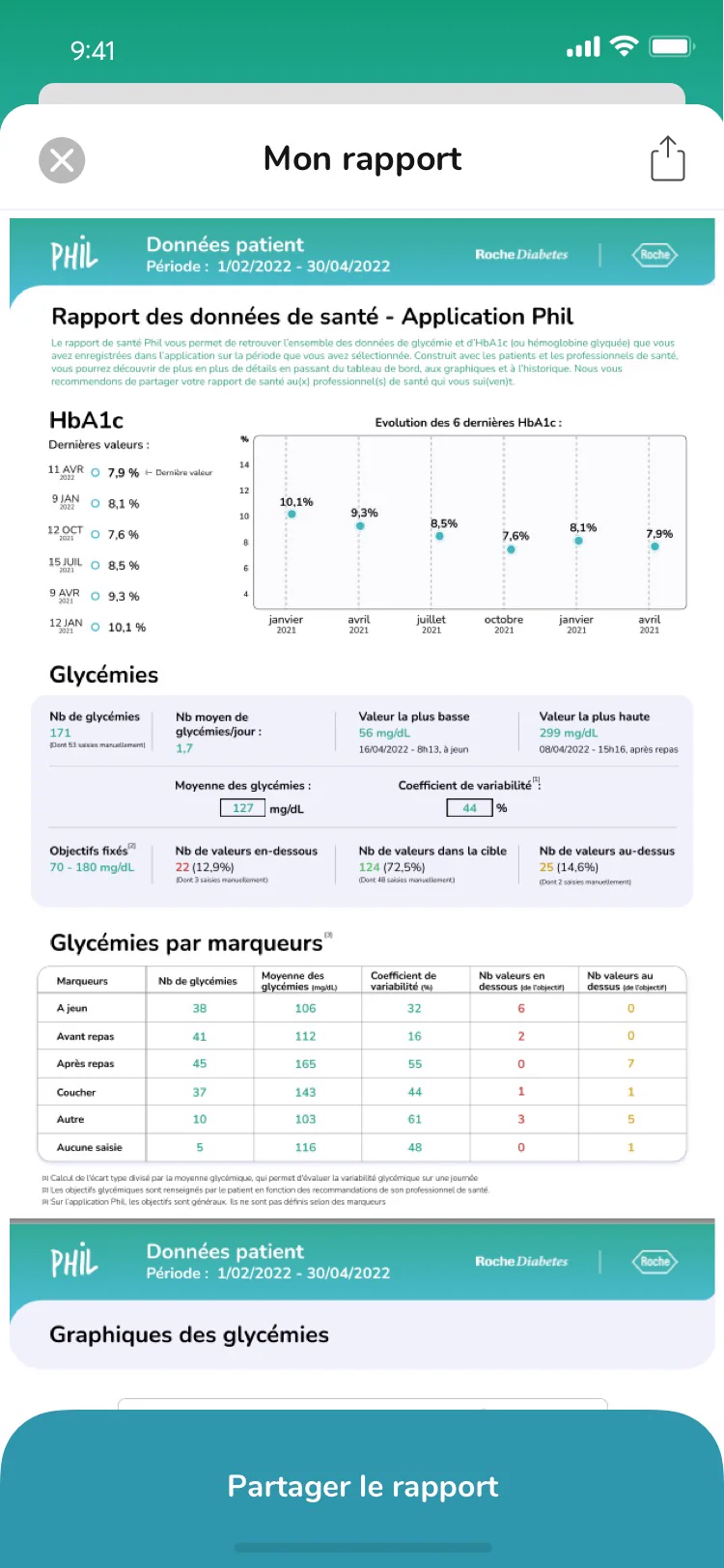
A connected Type 2 diabetes workflow moved data from the meter into a journal people could understand, then translated patterns into HbA1c history and a report ready to share with a care team.
01ConnectConfirm the meter and sync status.
02JournalOrganize readings by range and context.
03PrepareChoose the period and supporting context.
04ShareGenerate a longitudinal care report.
Phil screen for selecting an Accu-Chek glucose meter
01 / CONNECTMake transfer feel certain.Visible sync status confirms that meter data is moving into Phil.
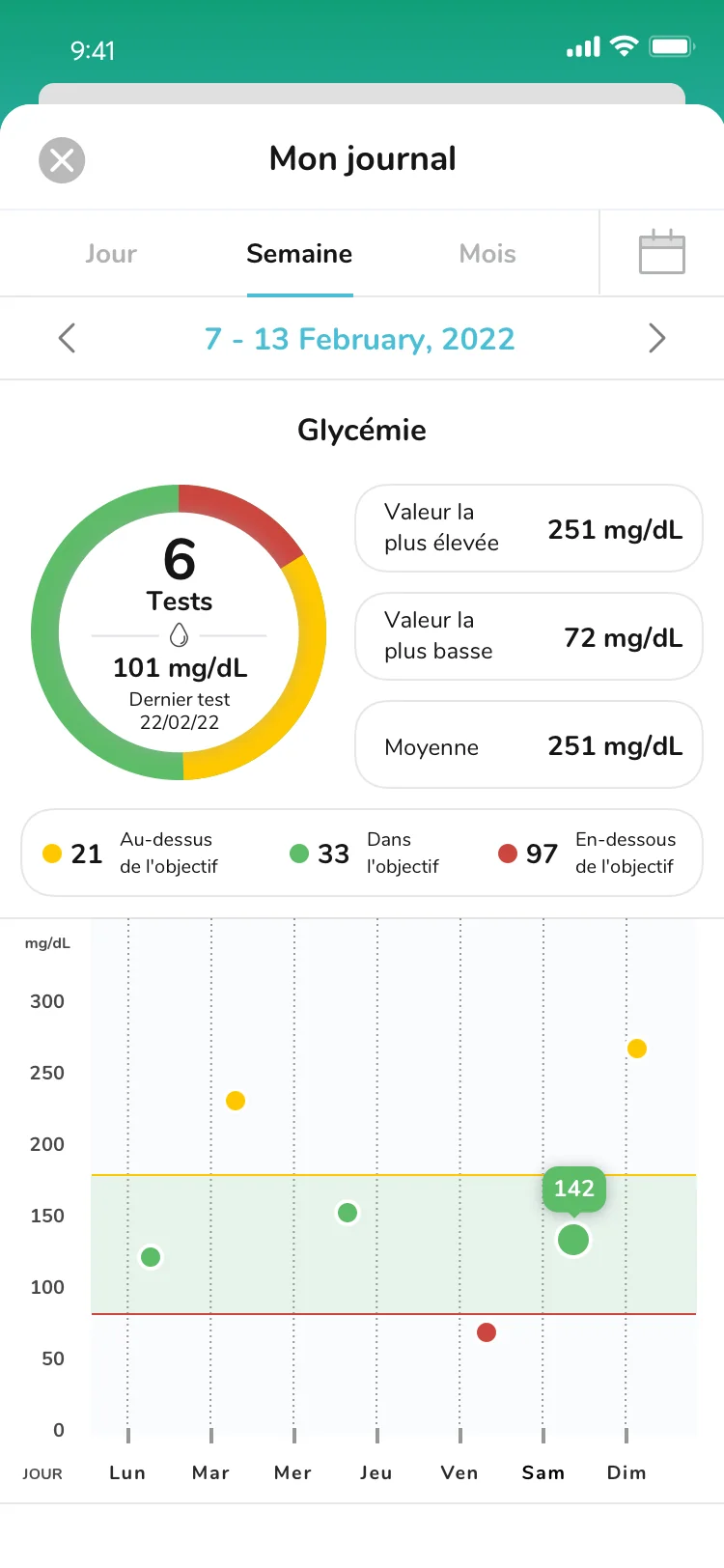
Phil seven-day glucose journal showing readings by range and date
02 / JOURNALShow the pattern.Time, range and context turn isolated readings into a useful record.
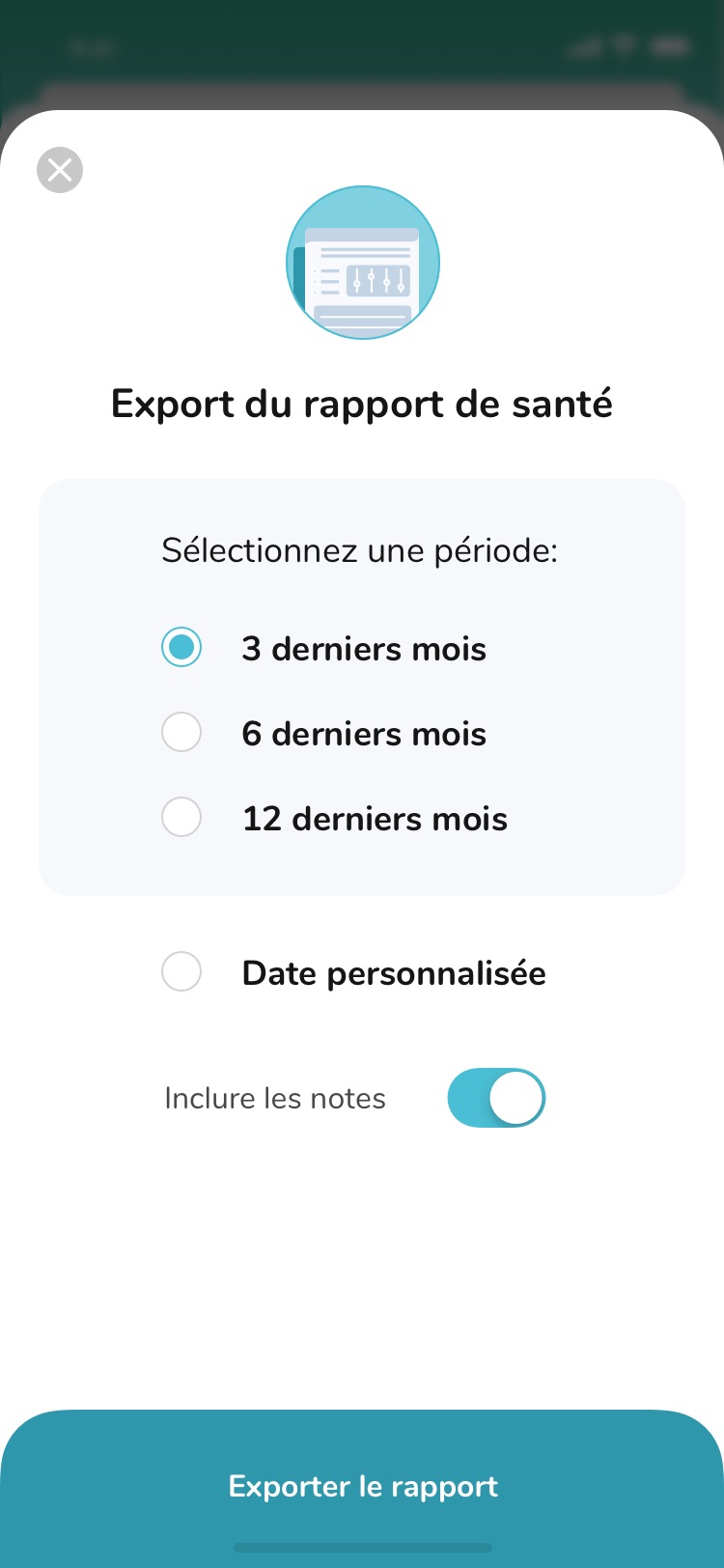
Phil report export options for choosing a date range and including notes
03 / REPORT SETUPChoose what to share.Date ranges and notes shape the report around the next conversation.
Generated Phil health report with HbA1c and glucose charts
04 / REPORTPrepare the care conversation.A concise report creates a clear handoff for the next visit.
04.4.1 / Glucose journal

Make patterns visible over time.

The journal walkthrough shows how individual readings become a useful history, giving people clearer context for daily decisions and care conversations.

04.5 / Activity

Turn movement into momentum.

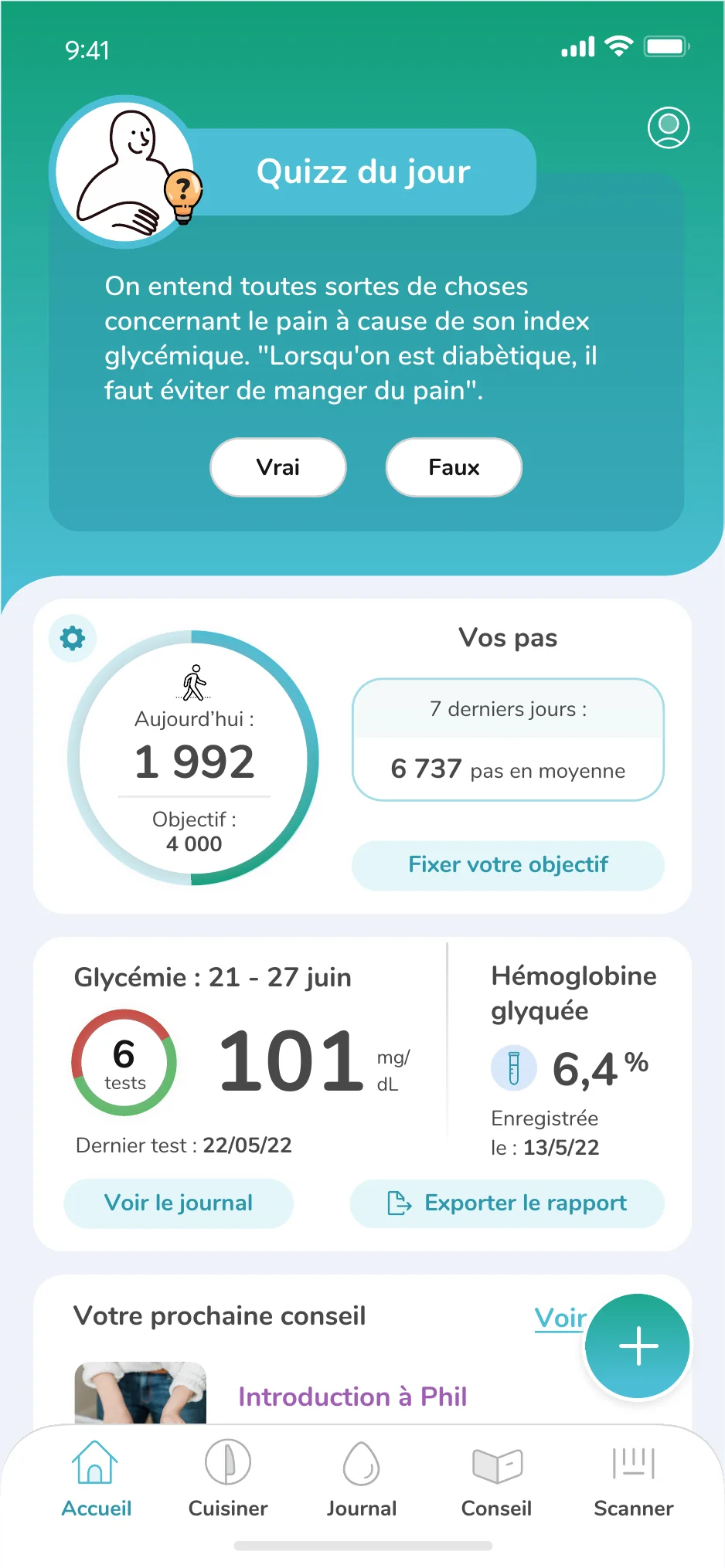
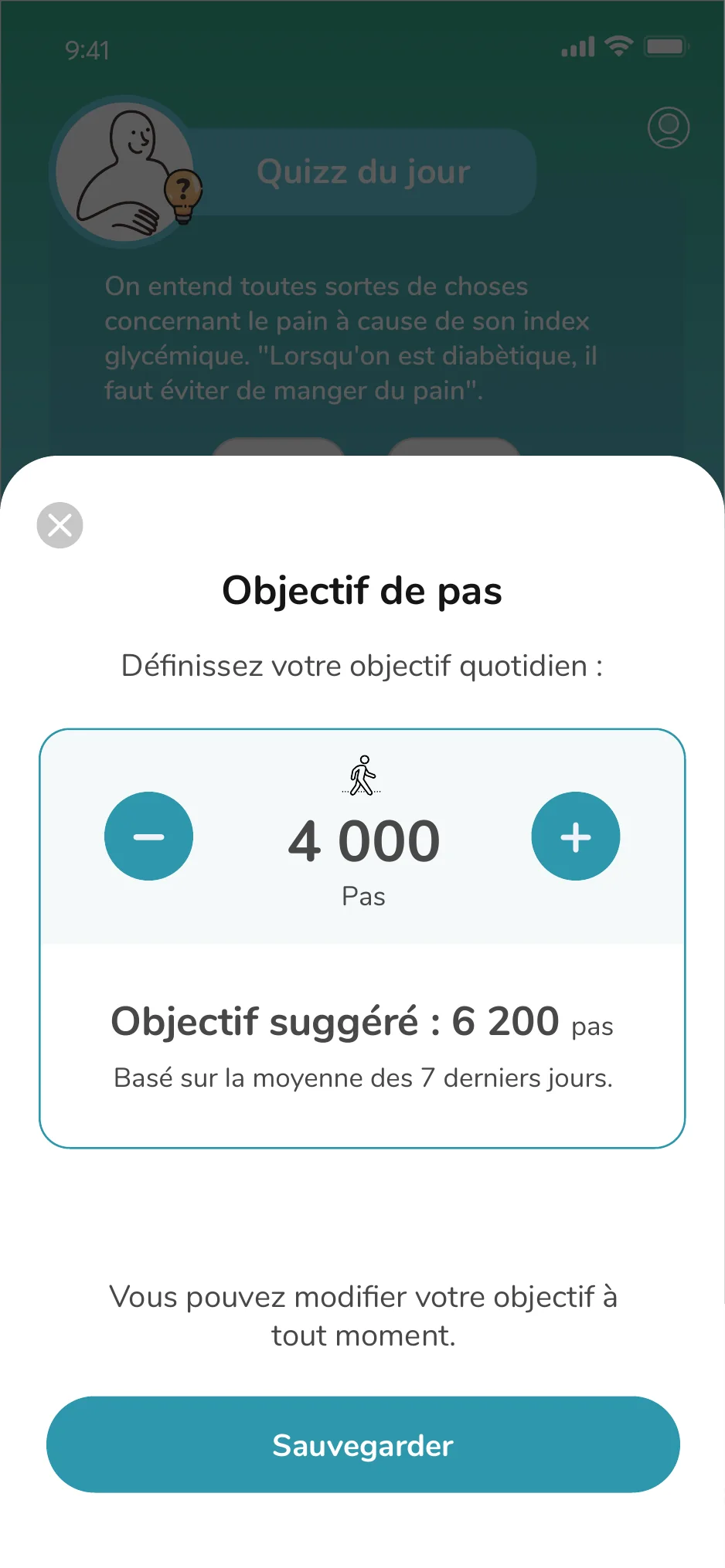
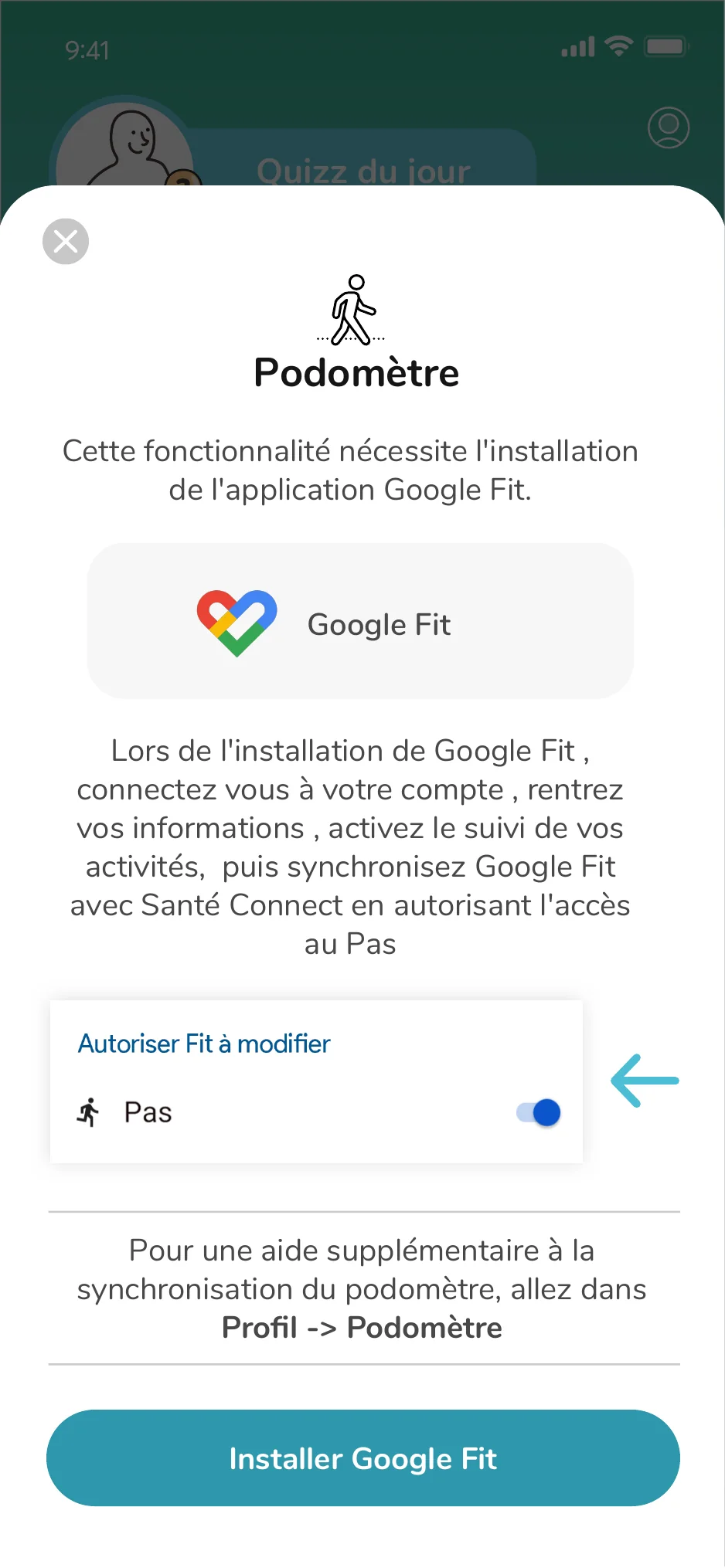
The pedometer was more than a step counter. It introduced a new behavior, negotiated health-data permissions, translated movement into a simple daily goal and provided a clear recovery path when the connection broke.

Today0steps
Daily goal 0 steps Progress that is visible at a glance, without creating another dense health dashboard.
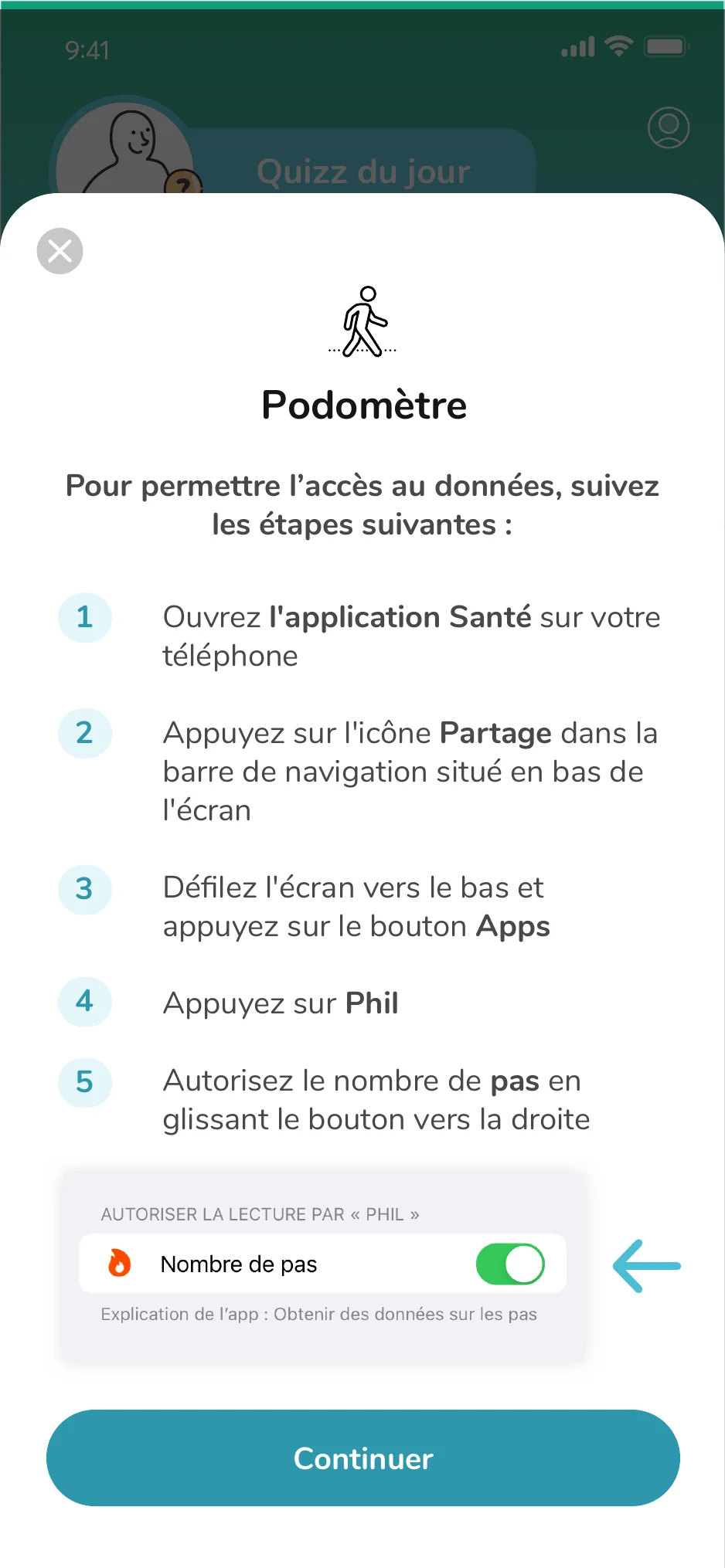
Pedometer permission instructions
01 / CONNECTGuide the handoff.Turn OS permissions into clear product steps.
Phil home screen showing step progress
02 / PROGRESSKeep the signal visible.Make daily movement readable at a glance.
Daily step goal control
03 / CONTROLLet users set the pace.Offer guidance without prescribing the goal.
Google Fit recovery and troubleshooting guidance
04 / RECOVERMake failure recoverable.Explain the problem and preserve progress.
01 / MotivationCelebrate the signal.

A completed ring and a restrained moment of celebration reward progress without gamifying health.

02 / ControlGoals stay personal.

Suggested targets provide a useful starting point, while the user remains in control of the number.

03 / ReliabilityRecovery is part of the product.

Settings and troubleshooting turn a fragile OS-level connection into a guided, recoverable flow.

04.6 / Companion art

One character.
Many jobs.

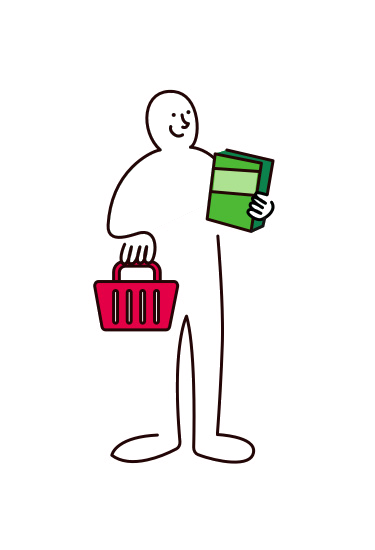
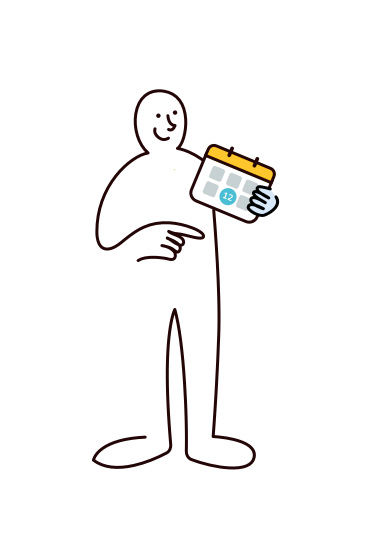
Phil was designed as a calm, capable companion who could explain, encourage and occasionally bring levity to a clinical experience. The character flexed from quiet utility to expressive storytelling without competing with the task.


LineHumanColorPurposefulToneReassuring
01 / PRODUCT JOURNEYPhil changes jobs as the user moves from understanding to action.
Phil helping with education, cooking, glucose, activity, planning and scanning
EXPLAINCOACHMEASUREMOTIVATEPLANACT
02 / SCALE SYSTEMOne visual language, from full-body scenes to small interface cues.
01 / ORIENTMake unfamiliar territory feel safe.

Phil introduces new health concepts before the interface asks for a decision.

02 / DEMONSTRATEShow the action, not another instruction.

Props turn abstract guidance into cooking, testing, planning and scanning.

03 / REASSUREKeep friction from feeling clinical.

Expression acknowledges uncertainty, errors and recovery without adding alarm.

04 / CELEBRATEMark progress without taking over.

Small gestures and purposeful color reward momentum while the task stays primary.

01 / Recognizable

A minimal silhouette and expressive hands made Phil legible at both illustration and interface scale.

02 / Contextual

Color appeared only where it added meaning: an object, action, warning or moment of emphasis.

03 / Secondary

The character supported comprehension and emotion while the product task always remained primary.

05 / Impact

A unified health experience that could scale.

Phil brought recipes, shopping, activity and glucose tracking into one connected experience, giving patients a product they could use with confidence while maintaining the precision clinicians needed.

For patients

Clearer daily guidance, connected data and less friction between planning, action and understanding.

For Roche

A scalable design foundation for expanding digital health services while maintaining consistency and clinical trust.

06 / Reference
“Scott’s dual strength, product leadership combined with design excellence, makes him uniquely effective in his role.”
Vikram Natarajan
Director / Head of PMO, Innit
Next project

REX